


web analytics
Facebook Twitter Pinterest linkedin WhatsApp WhatsApp Telegram
  • CONTACT US
  • NEWSLETTER
Facebook Twitter Pinterest linkedin WhatsApp WhatsApp Telegram
i Apple i Apple
Select category
  • Select category
  • accessories
  • ACCESSORIES
  • Accusys
  • Apple
    • iMac
    • iMac Pro
    • iPad
    • iPhone
    • Macbook Pro
    • Watch
  • asustor
    • Home to Power User
    • Personal to Home
    • Power User to Business
    • Small & Medium Business
  • Blackmagic
  • DAS FOR VIDEO EDITING
  • HOME / SOHO DAS
  • LG
  • MEDIUM BUSINESS NAS
  • OWC
  • PERSONAL / HOME NAS
  • SanDisk Pro
  • SMALL BUSINESS NAS
  • Uncategorized
  • Used As New
    • Accessories used
    • Display used
    • iMac Used
    • Mac pro used
    • Macbook Air used
    • Macbook Pro used
Login / Register
0 Wishlist
0 Compare
0 items / EGP0
Menu
i Apple i Apple
0 items / EGP0
Browse Categories
  • Apple
    • iMac
    • iPad
    • iPhone
    • Watch
    • Macbook
    • Macbook Air
    • Macbook Pro
  • OWC
  • SanDisk Pro
  • TERRAMASTER
    • PERSONAL / HOME NAS
    • SMALL BUSINESS NAS
    • MEDIUM BUSINESS NAS
    • HOME / SOHO DAS
    • DAS FOR VIDEO EDITING
    • ACCESSORIES
  • Blackmagic
  • Asustor
    • Small & Medium Business
      • LOCKERSTOR 10 Pro (AS7110T)
      • LOCKERSTOR 12R Pro (AS7112RDX)
      • LOCKERSTOR 16R Pro (AS7116RDX)
    • Home to Power User
      • AS5202T
      • AS5304T
    • Power User to Business
      • LOCKERSTOR 2 (AS6602T)
      • LOCKERSTOR 4 (AS6604T)
      • LOCKERSTOR 2 Gen2 (AS6702T)
      • LOCKERSTOR 4 Gen2 (AS6704T)
      • LOCKERSTOR 6 Gen2 (AS6706T)
      • LOCKERSTOR 8 (AS6508T)
      • LOCKERSTOR 10 (AS6510T)
      • LOCKERSTOR 4RS (AS6504RS) / LOCKERSTOR 4RD (AS6504RD)
      • LOCKERSTOR 12RD (AS6512RD)
    • Personal to Home
      • DRIVESTOR 2 (AS1102T)
      • DRIVESTOR 4 (AS1104T)
      • DRIVESTOR 2 Pro (AS3302T)
      • DRIVESTOR 4 Pro (AS3304T)
  • LG
  • Accessories
  • Home
  • About US
  • Shop
    • Apple
      • iMac
      • iPad
      • iPhone
      • Watch
      • Macbook
      • Macbook Air
      • Macbook Pro
    • OWC
    • SanDisk Pro
    • TERRAMSTER
      • PERSONAL / HOME NAS
      • SMALL BUSINESS NAS
      • MEDIUM BUSINESS NAS
      • HOME / SOHO DAS
      • DAS FOR VIDEO EDITING
      • ACCESSORIES
    • Blackmagic
    • asustor
      • Personal to Home
        • DRIVESTOR 2 (AS1102T)
        • DRIVESTOR 4 (AS1104T)
        • DRIVESTOR 2 Pro (AS3302T)
        • DRIVESTOR 4 Pro (AS3304T)
      • Home to Power User
        • AS5202T
        • AS5304T
      • Power User to Business
        • LOCKERSTOR 2 (AS6602T)
        • LOCKERSTOR 4 (AS6604T)
        • LOCKERSTOR 2 Gen2 (AS6702T)
        • LOCKERSTOR 4 Gen2 (AS6704T)
        • LOCKERSTOR 6 Gen2 (AS6706T)
        • LOCKERSTOR 8 (AS6508T)
        • LOCKERSTOR 10 (AS6510T)
        • LOCKERSTOR 4RS (AS6504RS) / LOCKERSTOR 4RD (AS6504RD)
        • LOCKERSTOR 12RD (AS6512RD)
      • Small & Medium Business
        • LOCKERSTOR 10 Pro (AS7110T)
        • LOCKERSTOR 12R Pro (AS7112RDX)
        • LOCKERSTOR 16R Pro (AS7116RDX)
    • LG
    • Accessories
  • Used
    • iMac Used
    • Macbook Pro used
    • Macbook used
    • Macbook Air used
    • Mac pro used
    • Accessories used
  • Contact US
  • Terms & Conditions
  • SPECIAL OFFER
Click to enlarge
HomeBlackmagic Blackmagic Design DaVinci Resolve Advanced Panel
Previous product
OWC Mercury Elite Pro
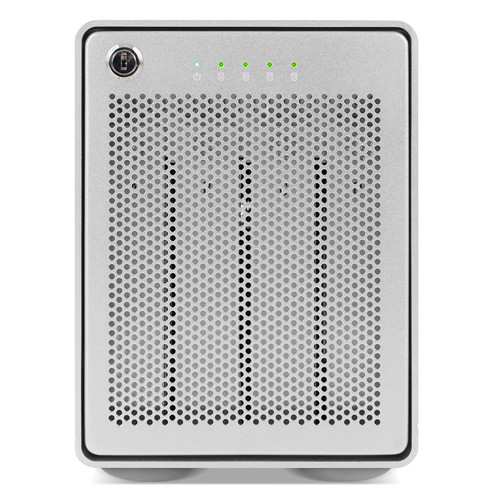
OWC Mercury Elite Pro Quad 4-Bay USB 3.1 Gen 2 Type-c Raid Thunderbolt 3 - 32TB
Back to products
Next product
Blackmagic Design DaVinci Resolve Mini Panel with Resolve Studio Software
Blackmagic

Blackmagic Design DaVinci Resolve Advanced Panel

  • Control Surface for Resolve Controls
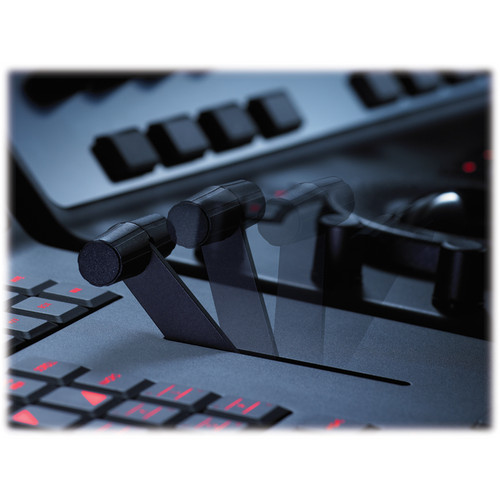
  • T-Bar Panel and Transport Panel
  • Slide-Out Keyboard, Reference Keys
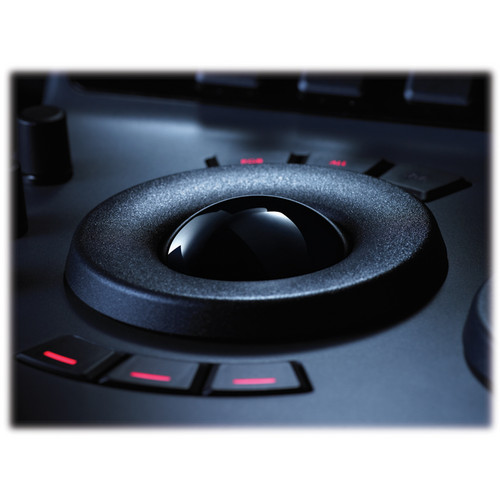
  • RGB Lift, Gamma, Gain Trackballs
  • Node-Based Real-Time Image Processing
  • 32-Bit Floating Point/YRGB Processing
  • 5 x LCDs with Real-Time Key Information
  • 30 x Soft Knobs, Illuminated Keys
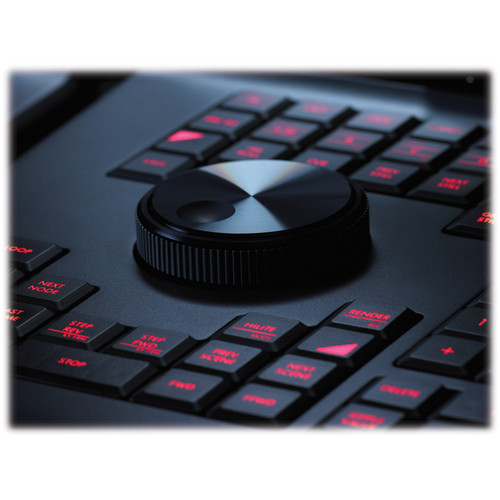
  • Jog/Shuttle Knob and Transport Controls
  • Compatible with Mac, Linux, Windows
Compare
Add to wishlist
Category: Blackmagic
Share
Facebook Twitter Pinterest linkedin WhatsApp WhatsApp Telegram
  • Description
  • Additional information
  • Reviews (0)
  • Shipping & Delivery
Description

Blackmagic Design DaVinci Resolve Overview

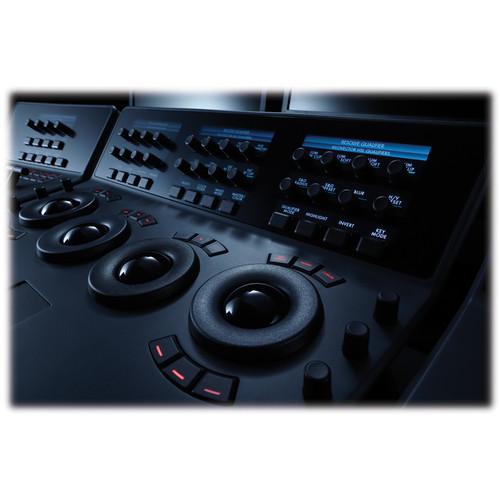
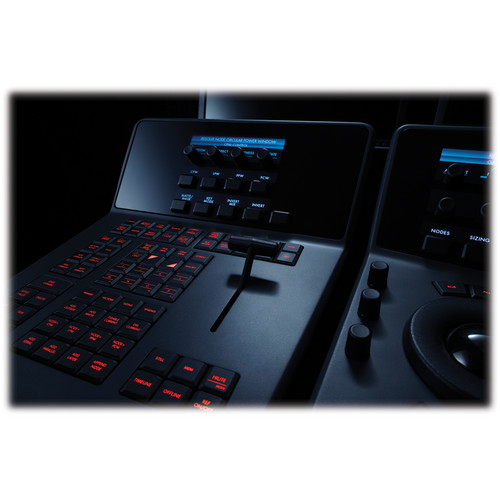
The DaVinci Resolve Advanced Panel from Blackmagic Design is a significant step up in functionality from the Micro or Mini panel. It consists of a main console and two auxiliary consoles, one on each side, as well as a slide-out keyboard in the center console. It enables one-touch access to virtually every control and parameter within the DaVinci Resolve software.

The center console incorporates four high-resolution, weighted trackballs and 30 soft, customizable control knobs for accessing color-correction tools in the Resolve software. The custom control knobs feature 4096 steps per rotation and push-button reset so you can achieve high-quality and precise color correction using the DaVinci Resolve system.

The Resolve control surface incorporates a slide-out keyboard that is useful when naming or renaming files, and it can be neatly tucked away when not in use. All functions are accessible via separate keys, such as the reference keys, and the fader T-bar that allows you to wipe between reference stills.

You can easily control the image sections via keys located for easy access at your natural hand positions. Lift, gamma, and gain adjustments along with RGB control are achieved via trackballs. Menus and indicators are visible via five high-resolution LCD screens that offer a view of the functions of all the knobs and buttons. Soft knobs that can precisely control parameters via single touch are provided, and no electrical contact eliminates wearing out of the knobs. Aesthetically illuminated keys are backlit using RGB color and intensity. Complete control of the project timeline or deck is offered via the jog/shuttle knob and transport controls.

Menus, Soft Keys, and Soft Knob Control
All Resolve panels have soft keys and variable control knobs within the LCD panel, which provide an accurate visual reference to the control without the risk of error.
Trackball Panel
The center panel has four trackballs, each with a surrounding control ring. The three trackballs to the left control lift, gamma, and gain when Resolve is set for primary grading. When in Log grading, they adjust lowlights, mid-tones, and highlights. The fourth trackball works similar to a mouse for moving the on-screen cursor. It can also be used to draw Power Windows, control color curve point position, and act as an offset control for the primary grade.
Keyboard
The center panel incorporates a slide-out keyboard that is useful when naming or renaming files, and it can be neatly tucked away when not in use.
Luminance
  • Y lift control: Adjust the contrast of the image in the darker areas, specifically in the Y (luminance) channel only. This adjustment allows for changing the black point without changing saturation.
  • Y gamma control: Adjust the contrast of the image in the mid-tone areas, specifically in the Y (luminance) channel only. This control helps add depth and extra vibrancy to shots.
  • Y gain: You can reduce hot spots or tweak the whites to define a look.
Contrast
  • Contrast control: Increase contrast to make the blacks darker and the whites brighter, or decrease contrast to do the opposite.
  • Pivot: Change the center of tonality about which dark and bright parts of the image are stretched or narrowed during a contrast adjustment.
  • Mid-tone detail: Affect the contrast of regions of the image with high edge detail to increase or decrease the perception of image sharpness and definition. It’s often used for softening facial features, making it popular for beauty shots.
Detail
  • Color boost control: Raise the saturation in regions of the image with low saturation while leaving properly saturated areas alone. Also known as a vibrance operation, this is useful for adding color without oversaturating the image.
  • Shadow control: Selectively lighten or darken shadow detail without affecting your image’s mid-tones.
  • Highlight control: Enable retrieving blown-out highlight detail in high dynamic range media by lowering this parameter. This allows you to achieve a smooth blend between the retrieved highlights and unadjusted mid-tones, for a natural-looking image.
Saturation

Increases or decreases overall image saturation; you can turn your color image into a grayscale image with this control.

  • Hue control: Rotates all hues of the image 360° around the color wheel. The default setting is 50, which retains the original distribution of hues.
  • Luminance mix control: Controls the balance between the YRGB adjustments and Y-only adjustments made using the Y channel lift, gamma, and gain controls.
T-Bar Panel
The panel features a T-bar mix/wipe control and a number of menu and function keys. You can position the T-bar panel on either side of the Trackball panel.
Transport Panel
The Transport panel features the timeline transport controls and a jog/shuttle control, as well as a numerical keypad and associated function keys. The Transport panel can be positioned on either side of the Trackball panel.
System Requirements for DaVinci Resolve
System requirements as of DaVinci Resolve 18:
Minimum System Requirements for Mac OS
  • macOS 11 Big Sur
  • 8GB of system memory. 16GB when using Fusion
  • Blackmagic Design Desktop Video version 12.0 or later
  • Integrated GPU or discrete GPU with at least 2GB of VRAM
  • GPU that supports Metal or OpenCL 1.2
Minimum System Requirements for Windows
  • Windows 10 Creators Update
  • 16GB of system memory. 32GB when using Fusion
  • Blackmagic Design Desktop Video 10.4.1 or later
  • Integrated GPU or discrete GPU with at least 2GB of VRAM
  • GPU that supports OpenCL 1.2 or CUDA 11
  • NVIDIA/AMD/Intel GPU Driver version–as required by your GPU
Minimum System Requirements for Linux
  • CentOS 7.3
  • 32GB of system memory
  • Blackmagic Design Desktop Video 10.4.1 or later
  • Discrete GPU with at least 2GB of VRAM
  • GPU that supports OpenCL 1.2 or CUDA 11
  • NVIDIA/AMD Driver version–as required by your GPU
Additional information
Brand

Blackmagic

Reviews (0)

Reviews

There are no reviews yet.

Be the first to review “Blackmagic Design DaVinci Resolve Advanced Panel” Cancel reply

Your email address will not be published. Required fields are marked *

Shipping & Delivery
wood-portfolio-placeholder
wood-gallery-placeholder-4

DHL International Shipping

DHL International GmbH is an international courier, parcel, and express mail service which is a division of the German logistics company Deutsche Post DHL. Deutsche Post DHL is the world's largest logistics company, now in over 220 countries and territories worldwide, particularly in sea and air mail.

Aramex

Aramex PJSC is an international express, mail delivery and logistics services company based in Dubai, United Arab Emirates. The company was founded by Jordanian Fadi Ghandour and Bill Kingson in 1982. It is the first Arab-based company to be listed on the NASDAQ stock exchange.

Related products

Compare
Quick View
Add to wishlist
Close

Blackmagic Design DaVinci Resolve Speed Editor with Studio Software

Read more
Compare
Quick View
Add to wishlist
Close

Blackmagic Design HD Mini Overview

Read more
Compare
Quick View
Add to wishlist
Close

Blackmagic Design DaVinci Resolve Mini Panel with Resolve Studio Software

Read more
Compare
Quick View
Add to wishlist
Close

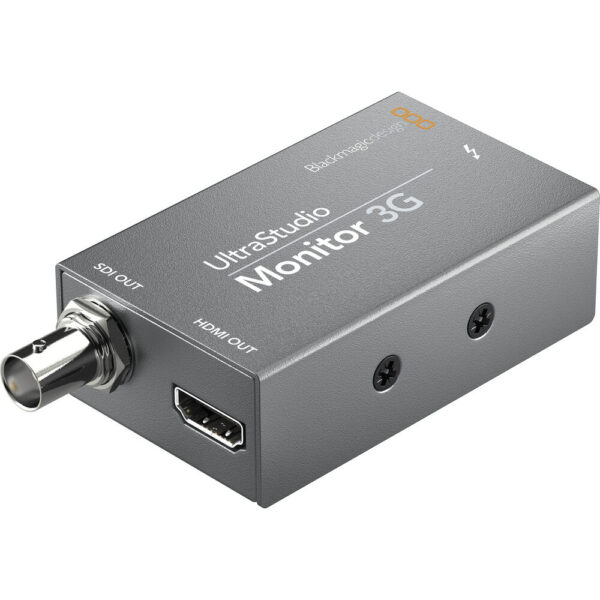
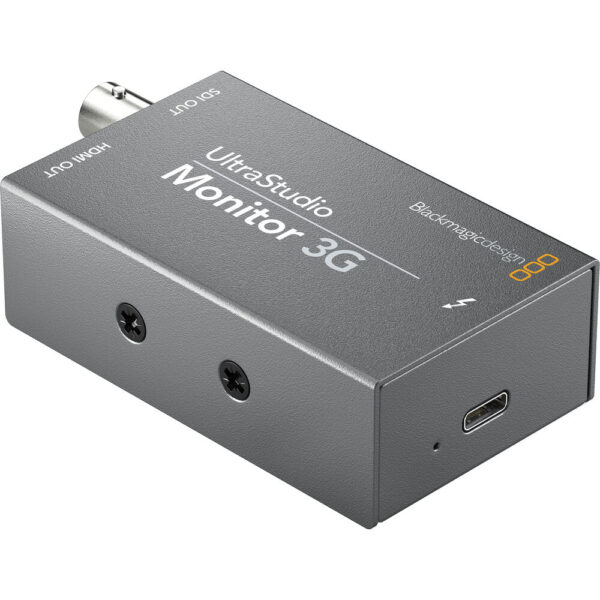
UltraStudio Monitor 3G

Read more
Compare
Quick View
Add to wishlist
Close

Blackmagic Design UltraStudio 4K Mini Thunderbolt 3 Capture & Playback Unit

Read more
Compare
Quick View
Add to wishlist
Close

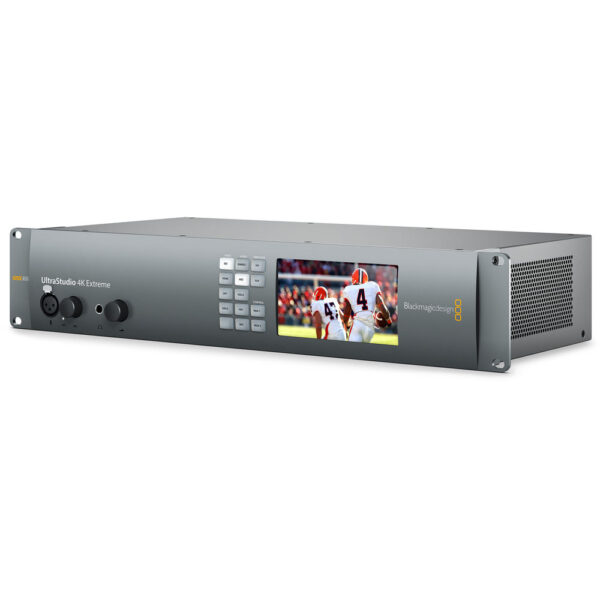
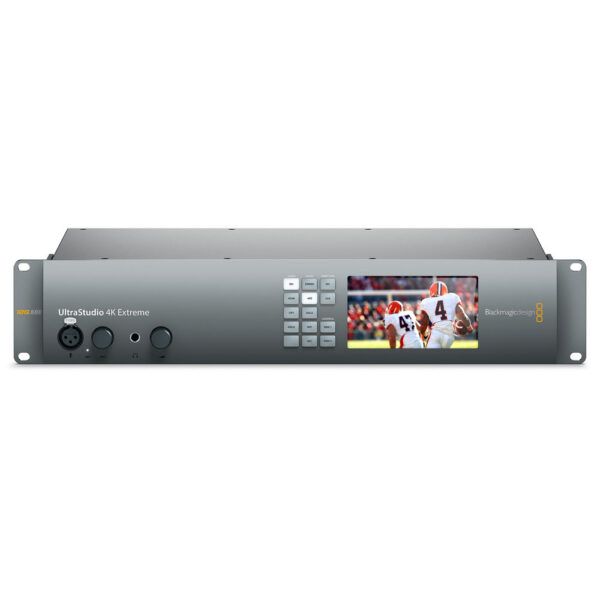
Blackmagic Design UltraStudio 4K Extreme 3

Read more
Compare
Quick View
Add to wishlist
Close

Blackmagic Design SDI to Audio Mini Converter

Read more
TerraMaster
ScanDisk Pro
OWC
LG
Blackmagic
Apple

Providing international quality and outstanding service in order to provide comfort and satisfaction to our customers..

3 Makhlouf St. Dukki Square -Giza , Egypt
Phone:+201095174313 – +201004789144
Email: info@iapple-eg.com

Quick link

  • Home
  • About Us
  • Contact Us
  • Terms & Conditions
  • Shop

Our Product

  • Apple
  • SanDisk Pro
  • Blackmagic
  • Terramaster
  • LG
  • ACCESSORIES
Delivery via DHL and aramex
_____________
Copyright2019 iapple
we accept visa , mastercard ,Paypal ,Transfer Bank

Shopping cart

close
  • EGP  EGP
loading

Please wait while you are redirected to the right page...

×

Hello!

Click one of our representatives below to chat on WhatsApp or send us an email to info@iapple-eg.com

×

Please share your location to continue

  • Menu
  • Categories
  • Apple
    • iMac
    • iPad
    • iPhone
    • Watch
    • Macbook
    • Macbook Air
    • Macbook Pro
  • OWC
  • SanDisk Pro
  • TERRAMASTER
    • PERSONAL / HOME NAS
    • SMALL BUSINESS NAS
    • MEDIUM BUSINESS NAS
    • HOME / SOHO DAS
    • DAS FOR VIDEO EDITING
    • ACCESSORIES
  • Blackmagic
  • Asustor
    • Small & Medium Business
      • LOCKERSTOR 10 Pro (AS7110T)
      • LOCKERSTOR 12R Pro (AS7112RDX)
      • LOCKERSTOR 16R Pro (AS7116RDX)
    • Home to Power User
      • AS5202T
      • AS5304T
    • Power User to Business
      • LOCKERSTOR 2 (AS6602T)
      • LOCKERSTOR 4 (AS6604T)
      • LOCKERSTOR 2 Gen2 (AS6702T)
      • LOCKERSTOR 4 Gen2 (AS6704T)
      • LOCKERSTOR 6 Gen2 (AS6706T)
      • LOCKERSTOR 8 (AS6508T)
      • LOCKERSTOR 10 (AS6510T)
      • LOCKERSTOR 4RS (AS6504RS) / LOCKERSTOR 4RD (AS6504RD)
      • LOCKERSTOR 12RD (AS6512RD)
    • Personal to Home
      • DRIVESTOR 2 (AS1102T)
      • DRIVESTOR 4 (AS1104T)
      • DRIVESTOR 2 Pro (AS3302T)
      • DRIVESTOR 4 Pro (AS3304T)
  • LG
  • Accessories
  • Home
  • About US
  • Shop
    • Apple
      • iMac
      • iPad
      • iPhone
      • Watch
      • Macbook
      • Macbook Air
      • Macbook Pro
    • OWC
    • SanDisk Pro
    • TERRAMSTER
      • PERSONAL / HOME NAS
      • SMALL BUSINESS NAS
      • MEDIUM BUSINESS NAS
      • HOME / SOHO DAS
      • DAS FOR VIDEO EDITING
      • ACCESSORIES
    • Blackmagic
    • asustor
      • Personal to Home
        • DRIVESTOR 2 (AS1102T)
        • DRIVESTOR 4 (AS1104T)
        • DRIVESTOR 2 Pro (AS3302T)
        • DRIVESTOR 4 Pro (AS3304T)
      • Home to Power User
        • AS5202T
        • AS5304T
      • Power User to Business
        • LOCKERSTOR 2 (AS6602T)
        • LOCKERSTOR 4 (AS6604T)
        • LOCKERSTOR 2 Gen2 (AS6702T)
        • LOCKERSTOR 4 Gen2 (AS6704T)
        • LOCKERSTOR 6 Gen2 (AS6706T)
        • LOCKERSTOR 8 (AS6508T)
        • LOCKERSTOR 10 (AS6510T)
        • LOCKERSTOR 4RS (AS6504RS) / LOCKERSTOR 4RD (AS6504RD)
        • LOCKERSTOR 12RD (AS6512RD)
      • Small & Medium Business
        • LOCKERSTOR 10 Pro (AS7110T)
        • LOCKERSTOR 12R Pro (AS7112RDX)
        • LOCKERSTOR 16R Pro (AS7116RDX)
    • LG
    • Accessories
  • Used
    • iMac Used
    • Macbook Pro used
    • Macbook used
    • Macbook Air used
    • Mac pro used
    • Accessories used
  • Contact US
  • Terms & Conditions
  • Wishlist
  • Compare
  • Login / Register

Sign in

close

Lost your password?
No account yet? Create an Account
Scroll To Top

HEY YOU, SIGN UP AND CONNECT TO i Apple !

Be the first to learn about our latest trends and get exclusive offers

Will be used in accordance with our Privacy Policy